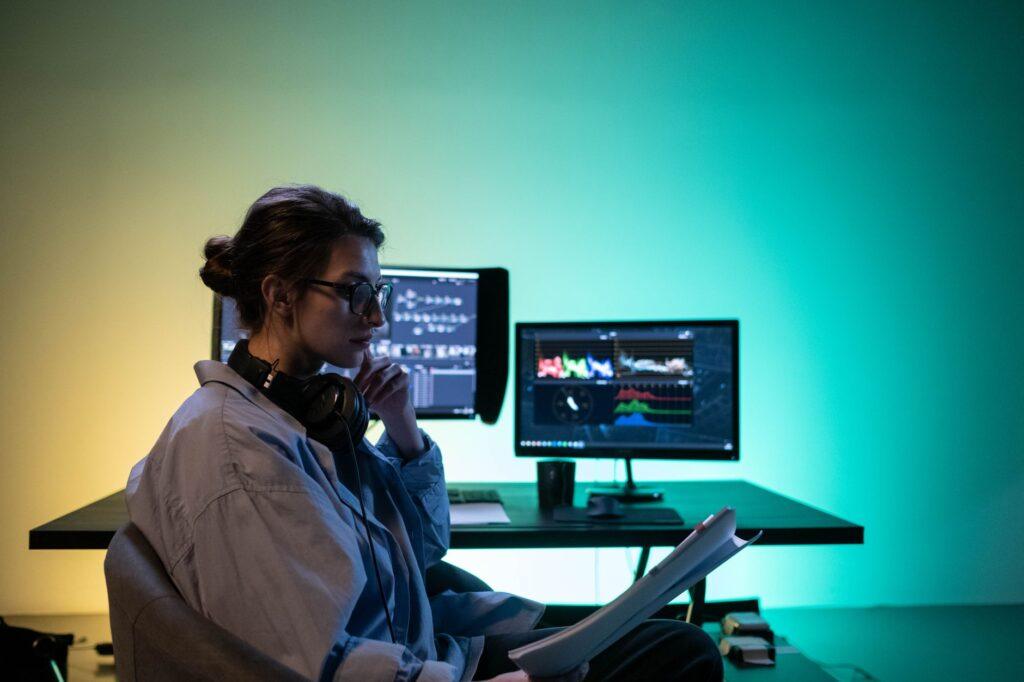

Escape the Single-Screen Trap: How Two Monitors Become Your Focus Superpower
I remember staring at my single, ancient monitor for hours, constantlyAlt-Tabbing between my email, my writing document, and that one infuriating spreadsheet. It felt like trying to juggle flaming torches while riding a unicycle. Then, I finally caved and got a second monitor. Honestly, it felt like unlocking a cheat code for productivity. Suddenly, I could keep my research articles open on one screen and my writing project on the other. No more lost tabs, no more frantic switching. It was a revelation, and the boost in focus was way more significant than I ever anticipated.
You might think it’s just about having more space, and sure, that’s part of it. But it’s deeper than that. With two displays, you’re not just creating more real estate; you’re creating a visual workflow. Imagine drafting an email while referencing a PDF document on the second screen. You can actually see both pieces of information simultaneously. This reduces cognitive load tremendously. You’re not actively trying to remember what was on the tab you just closed. It’s right there, visible and accessible. For anyone who spends significant time researching online or managing multiple applications, this is a huge win.
The cost of a second monitor can vary wildly, but you can often find decent 24-inch displays for around $150 to $300. Sometimes, you can even score used ones for a fraction of that. And while I’m not usually one to jump on every tech trend, this is one I wholeheartedly endorse. It’s not just for coders or graphic designers anymore. Even if you’re just managing your personal finances or browsing the web, having a secondary screen for reference material makes a difference. It’s a surprisingly practical upgrade.
Of course, it’s not all sunshine and rainbows. One of the biggest frustrations is the desk space it consumes. My old, cramped desk felt even smaller with two screens staring back at me. You also have to deal with extra cables and potentially adjusting your monitor height to match, which can be a minor annoyance. And if you’re not careful, you can end up just spreading your clutter across two screens, which defeats the purpose entirely. I’ve definitely been guilty of that, having social media feeds open on one and my work on the other when I should have been focusing.
But the real magic happens when you start optimizing. Many operating systems, like Windows and macOS, have built-in window snapping features. You can drag a window to the edge of your screen, and it’ll automatically fill half of it. This is perfect for splitting tasks between your monitors. You can have your primary application filling up one screen, and then a secondary application like your calendar or messaging app neatly tucked into a corner of the other. It’s about creating intentional layouts that support your workflow, not just randomly opening windows.
I was genuinely surprised at how much less I found myself distracted by notifications popping up. When your email client isn’t constantly overlaying your work document, those little red badges don’t have the same immediate pull. You can choose to glance at your secondary screen when you decide it’s the right time to check, rather than being pulled away by an insistent alert. It feels like reclaiming control over your attention span, which, let’s be honest, is a precious commodity these days. You can read more about the psychology of attention and multitasking limitations on sites like Wikipedia.
Think about what you do on a daily basis. If you’re a writer, you might have your word processor on one screen and reference materials or your outline on the other. For a programmer, it’s ideal for keeping your code editor on one screen and your terminal or documentation on the second. Even something as simple as watching a tutorial video on one screen while following along on the other is a massive improvement over trying to split a single screen. This kind of parallel processing is where the dual monitor advantage truly shines, allowing you to engage with information more efficiently, as discussed by Forbes.
It’s not just about professional productivity either. For gamers, having a second monitor for chat applications, streaming software, or game guides can significantly enhance the experience without interrupting gameplay. Imagine coordinating with your team on Discord while seeing the game action full-screen. It’s a whole different level of immersion. Sites like NerdWallet can help you find options that fit your budget, whether you’re gaming or working.
Some people complain about the eye strain from looking at two screens. And yes, if you’re constantly swiveling your head between wildly different screen heights and brightness levels, it can be tiring. That’s why monitor arms or stands that allow you to position them at a comfortable, consistent eye level are a worthwhile investment if you’re serious about this. It’s about treating your dual-monitor setup as an integrated system, not just two random screens shoved together.
Ultimately, the increased efficiency from having dedicated spaces for different tasks is undeniable. It’s a tangible productivity boost that you feel almost immediately. You’ll find yourself getting into a flow state much faster and staying there longer. It’s not about having more distractions; it’s about reducing the friction between you and the information you need. It’s proof that sometimes, the most revolutionary upgrades are the simplest ones. And if you’re still happy with one screen, you’re probably just not doing enough at once.