

The Digital Bouncer: Why Two-Factor Authentication Is Your Account’s Unsung Hero
I’ve seen people nearly pull their hair out after getting their social media account hacked. They’re usually freaking out about lost photos, embarrassing posts, or even identity theft. It’s a nightmare scenario, and honestly, it’s largely preventable. The biggest missing piece? Two-factor authentication, or 2FA. It’s like having a digital bouncer for your online life, and most folks either don’t know about it or just can’t be bothered to set it up. It’s not rocket science; it’s just an extra step that makes a massive difference.
Think about it: your password is the front door key. Anyone who gets their hands on that key, whether through a phishing scam, a data breach at a company you use, or even just guessing a weak password, can waltz right in. But 2FA adds a second lock, a secret handshake if you will. You need the key (your password) and something else, something only you should have. Without that second piece of the puzzle, the hacker is stuck on the outside, even with your stolen password.
The most common form of this second step involves your mobile phone. When you try to log in from a new device or after a certain period, the service will send a one-time code to your phone via SMS or through an authenticator app like Google Authenticator or Authy. You then type that code into the login screen. It’s a simple process, taking maybe an extra 10-20 seconds, but it throws up a massive roadblock for unauthorized access. For example, even if a hacker somehow snagged the login credentials for your bank account from a massive data dump, they still wouldn’t be able to get in if 2FA is enabled because they wouldn’t have access to your physical phone to receive that verification code.
Honestly, the fact that so many people don’t use 2FA baffles me. It’s often offered for free by services like Google, Facebook, Apple, and Microsoft. Setting it up typically involves a few clicks in your account security settings. You’ll be asked to verify your phone number or link an authenticator app. I remember trying to explain it to my uncle once, and he just sighed and said, “Too complicated.” That’s the kind of attitude that leads to accounts getting compromised. It’s not complicated; it’s essential!
There’s a legitimate criticism, though. SMS-based 2FA isn’t foolproof. It’s vulnerable to something called SIM-swapping attacks, where a hacker convinces your mobile carrier to transfer your phone number to a new SIM card they control. Suddenly, all those verification codes are going to them. That’s why using an authenticator app is generally considered more secure. These apps generate codes independently on your device, making them much harder to intercept. Still, even SMS 2FA is vastly better than no 2FA at all.
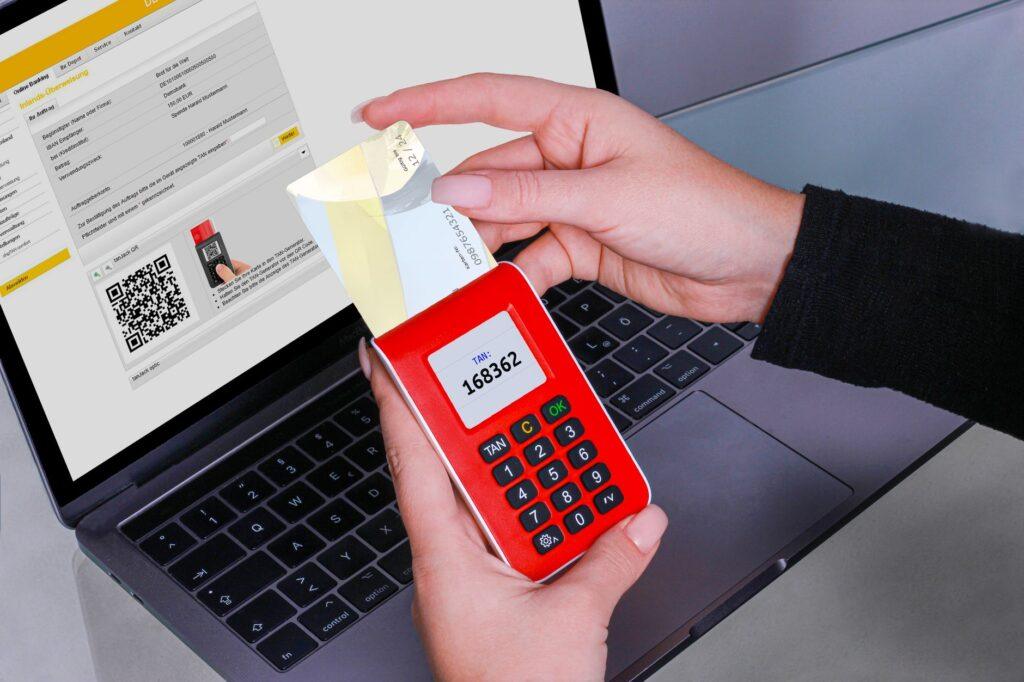
Beyond just codes, other 2FA methods exist. Some services offer security keys, physical devices you plug into your computer, like a YubiKey. These are incredibly secure and resist phishing attacks almost entirely. You can also find biometric authentication options, using your fingerprint or face scan, though these are often coupled with a password or PIN as the first factor. The key takeaway is layering your defenses.
This extra security measure isn’t just for your bank or email. You should absolutely enable 2FA on your social media accounts, your online shopping sites, your cloud storage, and pretty much anywhere that stores personal information or offers valuable services. A hacked email account, for instance, can be the gateway to resetting passwords for dozens of other services you use, effectively giving a hacker the keys to your entire digital kingdom. For many, the cost of recovery, both in time and money, far outweighs the few minutes it takes to enable 2FA.
The only real downside I’ve experienced is the occasional frustration when traveling and needing to log in from a new IP address, causing the system to demand an immediate 2FA code when your phone is momentarily out of service. It can be a real pain in the neck. But that temporary annoyance is a tiny price to pay for knowing your accounts are significantly more secure against the millions of automated hacking attempts happening every single day. Failing to enable 2FA is essentially leaving your digital front door wide open for anyone who stumbles upon it.


